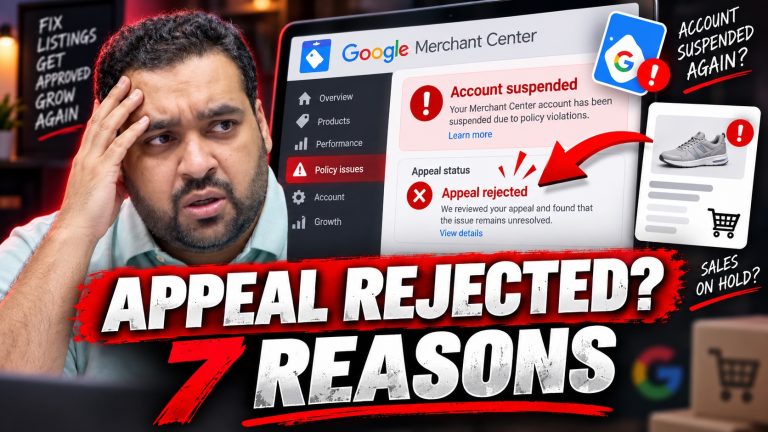
Shopify Merchant Center Misrepresentation: 12 Checks Before Requesting Review
Watch the real Shopify GMC suspension recovery case study on YouTube.
A Google Merchant Center Misrepresentation suspension is rarely solved by changing one sentence on a Shopify policy page. The important question is whether your store, checkout, Merchant Center settings and product data tell customers the same accurate story.
Our AARSWEBS team recently investigated a furniture distributor’s Shopify store with 928 products and an account-level Misrepresentation issue. We found discrepancies across store identity, delivery promises, refunds and product presentation. Following corrective work and a Google review, the account-level issue was cleared. Some individual product disapprovals still required attention.
This article gives store owners a practical pre-review framework based on that experience. It is not an official Google checklist and completing it cannot guarantee approval.
What Google actually evaluates
Google’s Misrepresentation policy focuses on honest business and product information. Google may compare the merchant’s destination, product listings, accounts and third-party sources. A convincing store design alone does not establish compliance.
12 Shopify checks to make before requesting a Merchant Center review
1. Verify the real business identity
Compare the legal name, customer-facing name, address, phone and email on your About and Contact pages with Merchant Center and actual business records. Explain any legitimate differences rather than inventing a matching identity.
2. Match contact details across customer touchpoints
Check the website footer, checkout communications, customer support pages and active social profiles. Make contact links functional and remove any old phone numbers or unused email addresses.
3. Make shipping timelines consistent
Verify the product page, shipping policy, shipping rates at checkout and Merchant Center shipping settings. A product promising 5–7 days in one place but a materially different delivery estimate elsewhere creates confusion.
4. Disclose handling time and delivery geography
Identify whether delivery estimates include processing, whether freight charges apply and where goods ship from. This is especially important for large furniture, distributors and cross-border sellers.
5. Reconcile refund and return promises
Match return windows, refund-processing times, exclusions, return shipping responsibility and contact steps wherever those details appear. Make the actual process work as described.
6. Test checkout and actual payment options
Complete a test order where appropriate. Do not display card logos, express-checkout badges or financing claims for methods that customers cannot use.
7. Audit Shopify variants and purchase quantities
In our furniture case, the team examined products with confusing variant naming and manufacturer minimum-purchase increments. Clarify pack quantities, distinct variant names, price and stock status so shoppers understand what they are ordering.
8. Check product-feed accuracy
Compare feed titles, prices, availability, URLs, variants and relevant identifiers with the live product pages. The Google & YouTube sales channel or another feed solution is only as good as the underlying store data.
9. Remove placeholder text and repair broken links
Check empty sections, broken contact forms, misleading buttons, incomplete policies, non-clickable phone numbers and broken navigation. Google specifically includes store functionality and placeholders in its troubleshooting guidance.
10. Review product content and branding
Make descriptions accurate, demonstrate any distributor or reseller relationship truthfully and avoid claiming manufacture or authorization without evidence. Resolve misleading duplicated labels that may cause customers to confuse products.
11. Inspect technical quality without mistaking it for the policy itself
Check HTTPS, crawled URLs, redirects, malware warnings, Search Console errors, page performance and duplicate headings. These are valuable diagnostic and customer-experience checks, but a duplicate H1 or a slow page is not automatically a standalone Misrepresentation violation.
12. Document corrections and review the correct Merchant Center issue
Record the changes, verify the live store and current feed, check Merchant Center’s Needs attention area, complete identity verification if requested, and then request review through the available workflow. Repeated review requests without substantive corrections can trigger cooldowns.
What our Shopify furniture case taught us
The store had 928 products. A point-in-time screen in the walkthrough showed 169 product disapprovals, while the audit documents identified approximately 32 specific findings in one workstream. Not every finding was a confirmed direct cause of the account suspension, and the team continued correcting issues across multiple rounds.
After coordinating website, product and Merchant Center corrections, the team requested a review on October 15. Google later confirmed that the Misrepresentation account issue no longer appeared. Individual product eligibility still needed ongoing maintenance.
For the full account story, see our existing Shopify furniture-store Merchant Center recovery case study and Ali Raza’s behind-the-scenes account of the recovery.
What to do if your store is still suspended
Prioritize truthful identity, customer-facing shipping and returns, checkout functionality and feed accuracy. Do not assume a visual redesign, adding trust badges or changing a product title guarantees reinstatement. Google alone decides the outcome of a review; its review instructions explain current procedures and limits.
At AARSWEBS Solutions Co LLC, our team reviews Merchant Center, Shopify website compliance, product feeds and relevant technical issues, then helps implement corrections and prepare an appropriate review request. Learn about our Merchant Center suspension support.
Case-study outcomes are individual; no approval or timeline is guaranteed.