
Google Merchant Center Misrepresentation Suspension Recovery Case Study
Getting a Google Merchant Center account suspended for Misrepresentation can be one of the most frustrating situations for an ecommerce business.
Products stop being eligible to appear as expected.
Google Shopping traffic can disappear.
And even after fixing what you believe is wrong with the website, another review can still come back unsuccessful.
In this case study, we are going to show you a real Merchant Center suspension case handled by the AARSWEBS team.
This wasn’t an overnight recovery.
There were repeated audits.
There were website changes.
There were policy corrections.
There were Search Console checks.
There were multiple communications with Google.
There were review requests.
And, at one point, the associated Google Ads account was suspended as well.
But eventually, the work paid off.
The Merchant Center Misrepresentation issue was removed, the products became approved, and the Google Ads account was also restored and running again.
Let’s walk through what happened.
The Problem: Google Merchant Center Suspended for Misrepresentation
The client’s Google Merchant Center account had been suspended for Misrepresentation.
Products were not approved, and review requests weren’t immediately solving the problem.
The challenge with a Misrepresentation suspension is that it often isn’t enough to look at one product or change one sentence on your website.
Google’s current policy explains that it can evaluate information from multiple sources, including the merchant’s website, listings, accounts and third-party information. Google wants merchants to represent their businesses and products accurately and give customers the information required to make informed decisions.
That means the investigation has to be broader than:
“Which product is disapproved?”
You have to start asking:
Does the complete business look consistent and trustworthy?
That became an important part of this case.
This Wasn’t a One-Person, One-Audit Fix
One thing I want to make clear about this Merchant Center recovery is that a substantial amount of work happened behind the scenes.
Different team members reviewed different elements of the account and website.
One person would make or recommend changes.
Another person would cross-check those changes.
Then another audit could identify something else that had previously been missed.
This continued through multiple rounds.
It may look simple when you see the successful account at the end of a case-study video.
But the reality was very different.
The team and client had to remain patient throughout the process.
Issue #1: Inconsistent Shipping Information
One of the problems we identified was inconsistent geographic information.
For example, one part of the website could indicate that the company shipped only within the United States, while another area referred to the United Kingdom.
That immediately creates a question:
Where does this business actually operate and deliver?
For a normal visitor, it is confusing.
For a platform trying to establish the legitimacy and transparency of an online merchant, it can be even more important.
We therefore had to work towards making shipping information consistent across the relevant website pages and account information.
Issue #2: Contradictory Return and Refund Information
Return policies were another area that required attention.
A common problem we have seen on ecommerce websites is different pages giving different answers.
For example:
One page says returns are accepted within five days.
Another says three days.
Another policy may use completely different wording.
Which one is correct?
This is exactly the type of inconsistency businesses need to remove.
Google’s current Merchant Center guidance specifically advises merchants to maintain clear return/refund policies and accurate business information when resolving suspension and transparency issues.
The safest approach is not to manufacture a policy simply for Google.
Instead:
Document the policy your business actually follows and make that information consistent wherever it appears.
Issue #3: Payment Methods Didn’t Match
Another problem discovered in the audit involved payment methods.
Parts of the website indicated that customers could pay using:
PayPal + major credit/debit cards.
But the actual checkout experience didn’t necessarily reflect exactly the same options.
That is another inconsistency.
If your Payment Policy says one thing and your actual checkout does another, you should investigate it.
For an ecommerce website, policy pages should describe the real customer experience.
Not the experience you intend to provide someday.
Not default template language.
Not wording copied from another website.
The real experience.
Issue #4: Business Identity and Geographic Inconsistency
This was another important part of the case.
During one audit, we identified business-identity information that could create confusion.
For example, elements of the site appeared to suggest one target market while other business information pointed elsewhere.
We reviewed areas such as:
- Business address
- Support information
- Telephone details
- Business location
- Fulfilment information
- Support timings
- Website policy pages
- Account information
These details had to make sense together.
Google’s review guidance currently says merchants addressing Misrepresentation or transparency issues should make sure their business name, address and contact details are accurate and consistent across the website and Merchant Center.
This is an area many businesses underestimate.
Issue #5: Placeholder Content
One of the more interesting findings involved placeholder content.
A placeholder was eventually discovered in a relatively small part of the payment/footer area.
It appeared to be there because of a website/coding issue.
Something like this can be very easy for the website owner to overlook.
You may inspect:
- The homepage
- Product pages
- About page
- Contact page
…and believe everything is fine.
But a template, footer, policy section or another less obvious area can still contain unfinished information.
We therefore checked pages manually to locate unwanted placeholder content.
Google’s own Merchant Center troubleshooting guidance specifically tells merchants to remove placeholder text and repair broken links while addressing Misrepresentation or “Website needs improvement” issues.
Issue #6: Product Content Needed Reviewing
We also reviewed the product side of the website.
The audits went down to individual wording and presentation issues.
This included checking whether product descriptions, claims and terminology appropriately represented what was actually being sold.
Again, the objective wasn’t merely:
“Make it sound better for Google.”
The objective was:
Make the information clear, accurate and consistent for customers.
Issue #7: Search Console, Sitemap and Robots.txt
The work wasn’t limited to Merchant Center.
We also checked technical areas including:
- Google Search Console
- Sitemap
- Robots.txt
- Indexed information
- Website changes
- Product URLs
- Crawling-related issues
Why?
Because making a correction on the website doesn’t automatically mean every system instantly reflects that correction.
We wanted the website to be accessible to Google’s crawlers and the current information to be discoverable.
The sitemap was reviewed and submitted in Search Console, and technical issues identified during the process were investigated.
Issue #8: Company Verification Information
Business-verification information was also part of the work.
We reviewed supporting company information and documentation as required for the case.
Because this involved private client information, sensitive documents were not shown publicly in our case-study video.
Google currently advises merchants to complete identity verification if Merchant Center specifically requests it before submitting another review.
The important lesson is simple:
Your account, website and legitimate business documentation should not tell three different stories.
We Kept Finding New Issues
This was probably one of the most frustrating parts of the restoration process.
An audit would finish.
Changes would be made.
Then another audit would identify another problem.
Fix that.
Cross-check.
Then another small inconsistency would appear.
This is why Merchant Center suspension work can take much more effort than a simple checklist suggests.
Someone might say:
“Just add your policies.”
But do those policies contradict each other?
Do they reflect checkout?
Does the address match?
Does your support information match?
Does the website contain old template content?
Do your product details match?
Does Merchant Center contain the same information?
Are there technical issues affecting crawling?
You have to look at the entire picture.
Multiple Communications With Google
During this case, our team also communicated repeatedly with Google support.
There wasn’t one message followed immediately by approval.
There were updates.
There were chats.
There were emails.
There were additional reviews.
At one point, Google acknowledged website updates but the account remained suspended.
The wider review continued.
That can be discouraging.
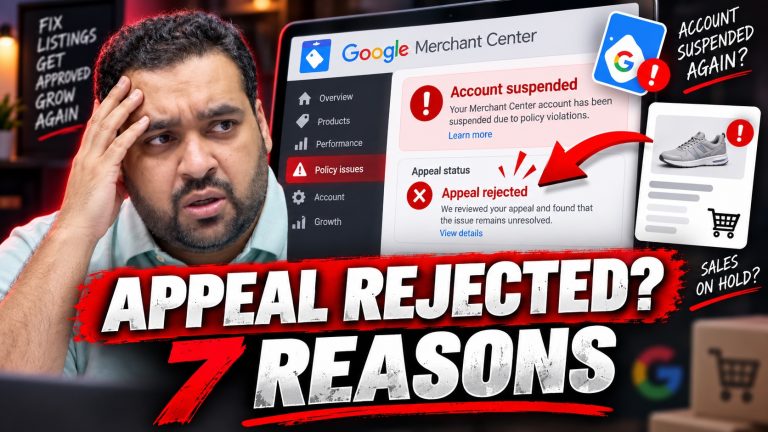
But a rejection doesn’t necessarily mean you should immediately submit the same account for another review without doing additional investigation.
Google explains that unsuccessful reviews can lead to a cooldown period before another review becomes available.
Use the time intelligently.
Audit again.
Don’t Request a Review Before You’ve Finished the Work
This is one of the biggest lessons from the case.
Seeing a Request Review button can make an advertiser want to click it immediately.
But the button isn’t the solution.
The underlying compliance problem is what needs to be addressed.
Google’s current instructions advise merchants who believe they have fixed an issue to resolve the relevant problems first and then select the review option. For Misrepresentation cases, Google highlights identity verification where requested, website transparency and consistency between product data and landing pages.
In other words:
Fix first. Review second.
Not the other way around.
The Google Ads Account Was Also Suspended
Merchant Center wasn’t the only problem in this case.
During the process, the client’s Google Ads account was also suspended.
That introduced another complication.
We therefore had two major Google properties requiring attention:
Google Merchant Center
and
Google Ads
We handled both restoration processes and created separate case-study material around the Google Ads side as well.
Eventually, the Google Ads account was restored.
The Result: Google Merchant Center Restored
After extensive auditing, website changes, account checks, technical work, client cooperation and repeated communication, we finally received the update we were waiting for.
The requested Misrepresentation review had been completed.
The issue no longer appeared on the Merchant Center account.
But we didn’t want to rely only on an email.
We verified the result inside the actual account.
The Merchant Center was active.
Products were showing as approved.
The account had begun receiving activity.
And the restored Google Ads account was also running and receiving clicks.
That is what turned this into a successful Google Merchant Center suspension recovery case study.
What We Learned From This Merchant Center Case
Here are some of the biggest lessons.
1. Small inconsistencies can become big problems
A different shipping country on one page may appear insignificant.
It isn’t something we would ignore in a suspension audit.
2. Your policies must agree with reality
Your Shipping Policy, Return Policy, Payment Policy, Privacy Policy and other customer-facing information should describe the business customers actually interact with.
3. Business information should be consistent
Your company name, contact information, address and other identity details should make sense across your website and Merchant Center presence.
4. Remove unfinished website content
Placeholders, template text and broken areas should not remain on a live ecommerce website.
5. Check the technical side
Search Console, crawling, URLs, sitemap and robots.txt can form part of a comprehensive investigation.
6. Don’t assume the first audit found everything
This case required repeated cross-checking.
7. Don’t waste review attempts
Submitting another review without fixing the underlying issues can prolong the process.
8. Patience matters
This case required significant cooperation from both the client and our team.
Google Merchant Center Misrepresentation Checklist
If your Merchant Center account is currently suspended for Misrepresentation, start by reviewing the following:
Business Information
- Is your business name accurate?
- Is your address correct?
- Is your phone number correct?
- Is your support email active?
- Does your Merchant Center information match your website?
Website Policies
Check:
- Shipping Policy
- Return and Refund Policy
- Payment Policy
- Privacy Policy
- Terms and Conditions
Make sure those policies agree with each other and with your actual operations.
Checkout
Verify:
- Payment methods
- Product prices
- Availability
- Shipping information
- Return information
- Currency
- Checkout functionality
Website Quality
Look for:
- Placeholder text
- Broken links
- Empty pages
- Contradictory information
- Old template content
- Incomplete footer details
Products
Check:
- Product titles
- Product descriptions
- Availability
- Pricing
- Images
- Product claims
- Feed-to-landing-page consistency
Google specifically recommends that pricing, availability and product attributes in your Merchant Center data remain consistent with the corresponding website information.
Technical Checks
Review:
- Search Console
- Sitemap
- Robots.txt
- Important page indexing
- Product URL accessibility
Frequently Asked Questions
Why does Google suspend Merchant Center accounts for Misrepresentation?
Google’s Misrepresentation policy is designed to prevent offers or businesses from presenting themselves or their products in inaccurate, unrealistic or misleading ways.
Google may review information from the website, listings, accounts and external sources when evaluating compliance.
Can a Google Merchant Center Misrepresentation suspension be fixed?
It is possible for a suspended account to be reinstated after the underlying issues are successfully corrected and Google’s review is successful.
This case study is one example.
However, no agency or consultant can guarantee that Google will reinstate a specific account.
Google makes the final decision.
Should I create another Merchant Center account?
Creating another account is not a substitute for resolving a policy problem.
Google specifically warns that deleting a suspended account and creating another one for the same business doesn’t fix the underlying suspension and the new account may also be flagged.
How long does a Merchant Center review take?
Review times vary, particularly for complex cases. Google itself notes that some Misrepresentation reviews can take longer than the typical review window.
Our recommendation is not to focus only on the waiting time.
Focus on making the account review-ready.
Can AARSWEBS help with a Google Merchant Center suspension?
Yes.
Our team works on Google-related account issues including Google Merchant Center, Google Ads and Google Business Profile cases.
We can audit the account and website, identify areas requiring attention and help you work through the restoration process.
However, reinstatement ultimately remains Google’s decision.
Need Help With a Suspended Google Merchant Center Account?
This case required:
- Multiple team members
- Repeated audits
- Website compliance changes
- Policy-page reviews
- Product checks
- Search Console work
- Sitemap and robots.txt checks
- Business-information verification
- Client cooperation
- Communication with Google
- Merchant Center work
- Google Ads restoration work
And eventually:
The Merchant Center account was restored.
If your Google Merchant Center, Google Ads account or Google Business Profile has been suspended, AARSWEBS can review your case and help identify the work required.
Visit: https://aarswebs.com
AARSWEBS is a Dubai-based digital marketing company with extensive experience working with Google advertising and business platforms.
Every case is different, and restoration can never be guaranteed.
But a detailed audit is a much better starting point than repeatedly clicking “Request Review” without knowing what still needs attention.





One Comment