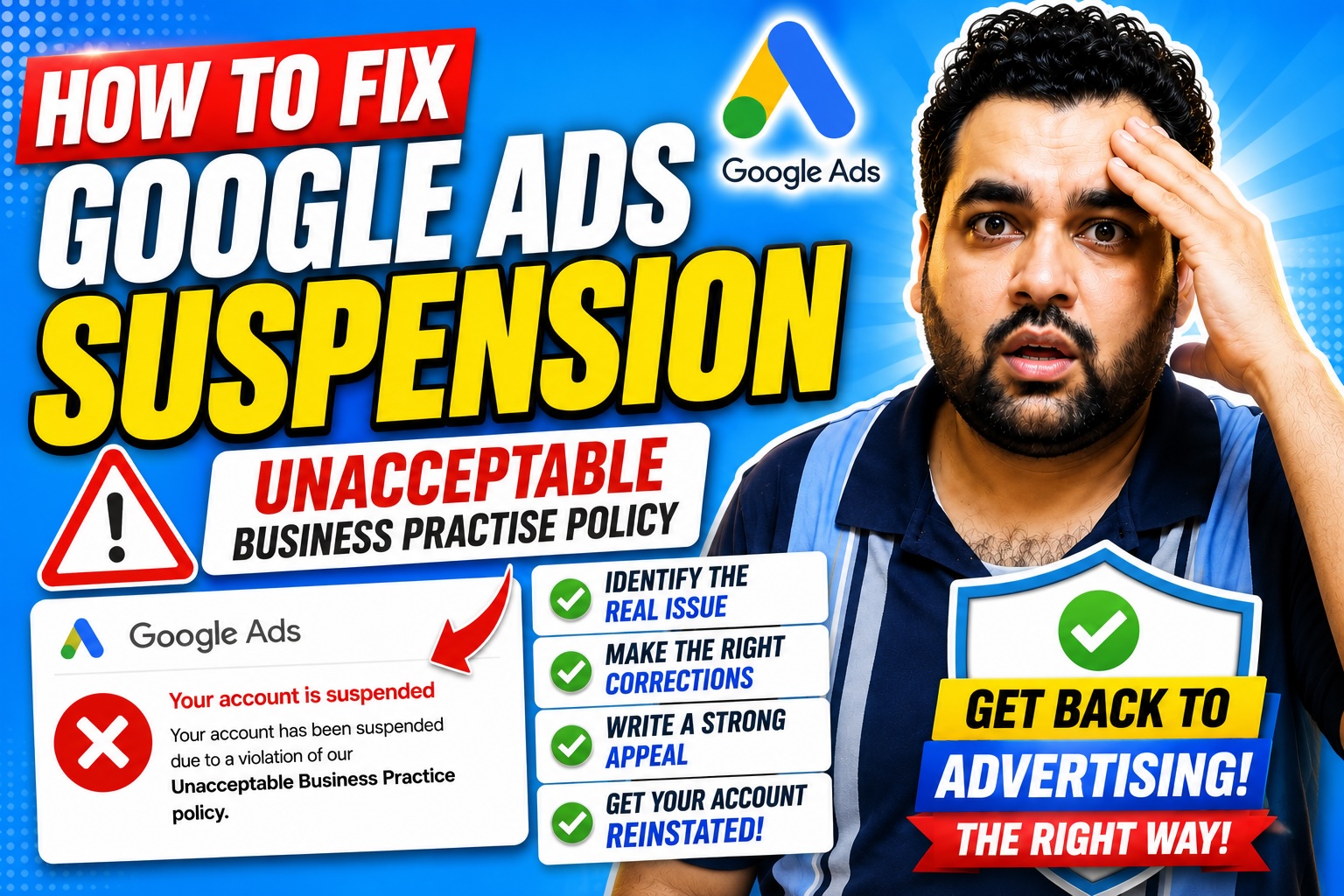
How to Fix a Google Ads Unacceptable Business Practices Suspension in 2026
Has your Google Ads account been suspended for violating the Unacceptable Business Practices policy?
You may have received a notification stating that:
- Your account cannot run ads in any location.
- The violation has been classified as egregious.
- The suspension is permanent unless the account is successfully appealed.
- Google used automated systems, human reviewers, or both to evaluate the account.
This can be extremely stressful for any business.
Your advertisements stop serving immediately. New enquiries and sales may decline, and you may not receive a detailed explanation identifying the exact page, claim, account setting, or business detail that triggered the suspension.
What should you do next?
Should you immediately submit an appeal?
Should you create another Google Ads account?
Or should you redesign your entire website?
In this complete guide, I will explain how we approach a Google Ads Unacceptable Business Practices suspension, what you should review before appealing, and which mistakes could make the situation worse.
Important Disclaimer
No agency, consultant, checklist, website developer, or Google Partner can guarantee the reinstatement of a suspended Google Ads account.
Google makes the final decision.
Google states that accounts suspended for egregious violations are only reinstated in compelling circumstances. Therefore, your compliance work and appeal should be thorough, accurate, and honest. information in this article is general educational guidance. Your exact compliance requirements will depend on your business, industry, country, website, advertising history, and suspension notice.
What Is the Unacceptable Business Practices Policy?
Unacceptable Business Practices falls under Google’s Misrepresentation policy.
Google does not allow advertisers to scam users by hiding or misrepresenting material information about their business, products, or services.
Examples include:
- Pretending to be supported by a brand, organization, or government body when no such relationship exists
- Offering products or services that the advertiser does not have or cannot deliver
- Operating without required licences or qualifications
- Misrepresenting services that could affect a person’s health or safety
- Impersonating another business or brand
- Hiding the advertiser’s real identity
- Falsely implying qualifications, partnerships, or authorization
Google considers violations of this policy egregious. An account may consequently be suspended without prior warning. What Is an Egregious Google Ads Violation?
An egregious violation is a violation Google considers so serious that it may be unlawful or create significant harm for users or the advertising ecosystem.
Unacceptable Business Practices is one of the policies Google classifies as egregious.
Other suspension categories may include:
- Circumventing Systems
- Malicious Software
- Suspicious Payment Activity
- Unpaid Balance
- Compromised Account
- Misrepresentation
- Phishing
- Counterfeit Products
- Repeated Policy Violations
The corrective action depends on the specific policy.
For example, paying an unpaid balance will not correct misleading business information, and rewriting a landing page will not necessarily resolve suspicious payment activity.
Always start with the exact suspension notice shown inside your account and sent to your email address.
Why a Complete Audit Is Necessary
A common mistake is to focus only on the name of the suspension.
An advertiser may update one page, submit another appeal, and expect immediate reinstatement.
However, Google may evaluate information from several sources, including:
- Your advertisements
- Your Google Ads account
- Your website
- Related accounts
- User complaints
- Consumer reviews
- Regulatory information
- Third-party sources
Google confirms that its policy enforcement can consider ads, accounts, websites, complaints, reviews, regulatory warnings, rulings, and other external information. s is why a suspension audit should review the entire advertising operation rather than one sentence on one landing page.
A Three-Month Google Ads Suspension Case Study
In the case discussed in our video, the client’s account was suspended for Unacceptable Business Practices and labelled as an egregious violation.
The recovery was not completed in one day.
It took more than three months and involved:
- Multiple website reviews
- Business-transparency checks
- Technical audits
- Landing-page corrections
- Document reviews
- Cross-verification by different team members
- Advertiser-verification work
- Appeal preparation
- Further reviews after rejection
- Additional corrections when new concerns appeared
This timeline should not be treated as a promise.
Some cases may take less time. Others may take considerably longer, and some suspended accounts may not be reinstated.
Step 1: Read the Exact Suspension Notification
Start by documenting the information Google provided.
Record:
- The policy name
- The date of suspension
- Every account mentioned
- The customer ID
- Whether advertiser verification is required
- Whether payment verification is required
- Whether the account is linked to other suspended accounts
- Any deadlines
- Previous appeal outcomes
Do not rely only on your memory or a screenshot shared by an employee.
Log into the correct account and examine the original notification.
Step 2: Do Not Create Another Account to Bypass the Suspension
Creating a new Google Ads account is not a legitimate shortcut.
Google states that accounts related to a suspended advertiser may also be suspended. New accounts created by that advertiser may also face suspension. Google recommends resolving existing suspended accounts before attempting to create new accounts. refore, do not:
- Create a new account under another email address
- Ask an employee or relative to create an account for the same business
- Move the same website into a fresh account
- Use different billing information to conceal the relationship
- Purchase or rent another person’s advertising account
- Change domains only to avoid enforcement
These actions may create additional Circumventing Systems concerns.
The correct approach is to identify and correct the underlying issues before using the official appeal process.
Step 3: Confirm the Real Business Identity
Google must be able to understand who is advertising and what that advertiser provides.
Review whether your website clearly displays:
- The legal or trading business name
- A genuine business address, when applicable
- A working telephone number
- A monitored business email address
- The countries or areas you serve
- Your main products or services
- The identity of the company receiving payment
- Relevant licences and qualifications
- Third-party relationships or authorizations
The information should correspond with your Google Ads account, payment profile, invoices, registration documents, and advertiser-verification submissions.
Do not display another organization’s name in a manner that could make users believe they are purchasing directly from that organization.
Step 4: Explain Your Business Model Clearly
A user should be able to understand what your company does without investigating several unrelated pages.
Your website should make it clear whether you are:
- The direct service provider
- A reseller
- An affiliate
- A marketplace
- A lead-generation company
- A broker
- An authorized representative
- An independent repair company
- A third-party customer-support provider
- An agency managing advertising for a client
Do not imply an official relationship when one does not exist.
For example, an independent repair business should not design its website to appear identical to the manufacturer’s official support website.
Google’s policy prohibits obscuring or omitting material information about an advertiser’s identity, affiliations, and qualifications. Step 5: Review Important Website Pages
Depending on your business, industry, and jurisdiction, relevant pages may include:
- About Us
- Contact Us
- Privacy Policy
- Terms and Conditions
- Refund Policy
- Return Policy
- Shipping Policy
- Cancellation Policy
- Warranty Information
- Subscription Terms
- Complaint Procedure
- Licensing or Accreditation Information
Adding these pages does not automatically resolve a suspension.
The pages must be accurate, relevant, accessible, and consistent with how the business actually operates.
A copied privacy policy containing another company’s name may create more concern rather than less.
Step 6: Check for Contradictory Information
Contradictory information can make a legitimate business appear unreliable.
For example:
- The homepage says you have 25,000 customers, but the product page says 20,000.
- The website displays one address, while the Google Ads payment profile displays another.
- Your Facebook page shows a different telephone number.
- The refund policy offers 30 days, but the checkout page says seven days.
- One page claims worldwide shipping, while another excludes most countries.
- Your advertisement promises same-day delivery, but the website says five business days.
- The website says you are an official partner, but no authorization is disclosed.
Review consistency across:
- Ads
- Landing pages
- Website headers and footers
- Checkout pages
- Social media profiles
- Google Business Profile
- Merchant Center
- Payment profile
- Business documents
- Email addresses
- Telephone numbers
- Opening hours
- Time zones
- Prices
- Promotional claims
Even a genuine business can create confusion when different parts of its online presence have not been updated together.
Step 7: Audit Your Advertising Claims
Review every headline, description, image, promotion, testimonial, badge, and landing-page statement.
Google’s Misrepresentation policy does not allow inaccurate claims or claims presenting an improbable outcome as the likely result a user should expect. particular attention to claims such as:
- Guaranteed results
- Guaranteed approval
- Guaranteed recovery
- Number-one provider
- Official partner
- Government approved
- Risk free
- Instant results
- Cure or treatment claims
- Guaranteed income
- Limited offer
- Lowest price
- Thousands of customers
- Five-star rated
You should be able to support objective claims with reliable evidence.
A real result from one customer should not be presented as the guaranteed outcome for every future customer.
Step 8: Make Pricing and Payment Terms Transparent
Customers should understand how much they will pay and what they will receive.
Review:
- Full product or service price
- Taxes
- Delivery charges
- Recurring fees
- Trial periods
- Setup charges
- Cancellation charges
- Refund eligibility
- Renewal terms
- Optional extras
- Currency
- Payment schedule
Google prohibits failing to clearly disclose the payment model or total expense a customer will bear. It also prohibits pricing practices that create a false or misleading impression of cost. not hide important charges until the final checkout screen.
Step 9: Review Content Quality and Originality
Your website content should accurately describe your own business.
Check for:
- Content copied from competitors
- Manufacturer text used without context
- Another company’s name remaining in a template
- AI-generated factual errors
- Unsupported claims
- Duplicate service pages
- Placeholder text
- Incorrect locations
- Pages created only by changing a city name
- Conflicting translations
- Incorrect page titles or descriptions
A plagiarism checker cannot certify Google Ads compliance.
Similarly, duplicate wording alone does not automatically prove Unacceptable Business Practices.
The important question is whether the content creates confusion, conceals the real business, misrepresents a relationship, or makes claims the advertiser cannot support.
Step 10: Check Website Navigation and Broken Links
Test the complete website manually and with technical tools.
Review:
- Main navigation
- Footer links
- Contact buttons
- Forms
- Product links
- Policy pages
- Login areas
- Mobile menus
- Telephone links
- Email links
- External references
- Download buttons
Broken links are not necessarily the direct reason for every Unacceptable Business Practices suspension.
However, a website containing inaccessible information, unfinished pages, or nonfunctional customer processes may weaken trust and create destination-quality concerns.
Step 11: Test the Complete Checkout or Lead Process
Do not assume your website works because the homepage loads.
Complete a genuine test journey.
For ecommerce:
- Open a product page.
- Select available options.
- Add the product to the cart.
- Review the displayed price.
- Calculate shipping.
- Enter customer details.
- Test the payment process.
- Verify the confirmation page.
- Confirm that the order reaches the website backend.
- Review the confirmation email.
For lead generation:
- Submit each important form.
- Test required fields.
- Confirm that the success message loads.
- Check that the lead reaches the correct inbox or CRM.
- Test telephone and WhatsApp buttons.
- Confirm the privacy consent wording.
- Review the automated reply.
Record screenshots or videos demonstrating that the corrected process works.
Step 12: Check for Malware and Compromised Code
A website may look normal to its owner while serving harmful redirects, injected scripts, or spam content to other users.
Review:
- Malware
- Spyware
- Phishing pages
- Unexpected redirects
- Modified core files
- Suspicious administrator accounts
- Outdated plugins
- Pirated themes or plugins
- Injected JavaScript
- Unknown tracking scripts
- Security warnings
- Blacklisting indicators
Update the content-management system, themes, plugins, passwords, and access permissions.
Remove software that cannot be traced to a legitimate source.
A clean website scan is useful evidence, but it does not guarantee reinstatement or prove compliance with every advertising policy.
Step 13: Review Website Speed and Mobile Usability
Website speed is not a universal solution for an Unacceptable Business Practices suspension.
However, a slow or unusable website can damage the customer experience and make important information difficult to access.
Test:
- Mobile loading time
- Desktop loading time
- Layout stability
- Checkout performance
- Form usability
- Image size
- Script errors
- Server response
- Navigation on smaller screens
Do not focus only on achieving a perfect speed score.
The objective is a functional, accessible, secure, and understandable website.
Step 14: Review Ads Against Their Landing Pages
The message in an advertisement should match the destination.
Check whether:
- The promoted product is available
- The advertised price is visible
- The discount can be found
- The same brand is shown
- The service is provided in the targeted location
- The landing page explains important conditions
- The advertised qualification is supported
- The call to action works
- The promotion has not expired
Google prohibits advertising products, services, and promotions that are unavailable or cannot easily be found on the landing page. Step 15: Prove Third-Party Relationships
Businesses frequently face difficulties when advertising products or services connected to another brand.
Examples include:
- Authorized resellers
- Franchisees
- Travel agents
- Repair providers
- Insurance brokers
- Financial intermediaries
- Software partners
- Healthcare networks
- Affiliate businesses
- Customer-support providers
Prepare evidence such as:
- Authorization letters
- Partnership agreements
- Supplier invoices
- Reseller certificates
- Franchise documentation
- Licensing records
- Relevant email correspondence
- Links from the brand’s official website
- Government registrations
Your website should accurately explain the relationship.
Do not describe yourself as an “official partner” unless that claim is current and can be demonstrated.
Step 16: Complete Advertiser Verification When Required
Google may require an advertiser to complete verification before appealing a suspension.
Verification tasks vary according to the account, billing setup, business type, and other factors. They may include questions about the organization and requests for supporting documents. uments may include:
- Government-issued identification
- Company-registration documents
- Proof of address
- Tax or VAT documentation
- Business licences
- Payment information
- Proof of domain ownership
- Authorization documents
Make sure names, addresses, and organization details match.
Google warns that false information submitted during verification may itself result in suspension under the Circumventing Systems policy. Step 17: Review Payment and Account Ownership
Your appeal may ask:
- Who owns the business?
- Who created the Google Ads account?
- Who manages the campaigns?
- Who owns the website?
- Who pays for the advertising?
- What is the relationship between the advertiser and the agency?
- Are other Google Ads accounts connected to the business?
- Has another account previously advertised the domain?
Prepare accurate answers and supporting evidence.
Do not hide an agency relationship or provide inaccurate payment information.
Step 18: Review Linked and Related Accounts
Google advises advertisers to ensure that linked, previously linked, and related accounts comply with its policies before appealing. iew:
- Manager accounts
- Previous client accounts
- Payment profiles
- Merchant Center accounts
- Analytics properties
- Tag Manager containers
- Domains
- Business owners
- Agency access
- Shared billing instruments
- Previously suspended accounts
Do not remove legitimate relationships merely to conceal them.
Instead, identify whether an unresolved violation in a related account is affecting the current appeal.
Step 19: Prepare a Correction and Evidence Report
Before appealing, create a clear document containing:
- The suspension policy
- The issue you identified
- The page or account area affected
- The change you made
- The date the change was completed
- Screenshots
- Supporting documents
- Relevant URLs
- The person responsible for the correction
- The result of your final verification
A correction report helps prevent vague appeal statements such as:
“We checked everything and believe our account follows the rules.”
A stronger explanation identifies what was reviewed, what was corrected, and why the business now believes the suspension was mistaken or the underlying concern has been resolved.
Step 20: Submit an Accurate Appeal
Use the appeal option shown in the suspended Google Ads account.
Your appeal should:
- Be honest
- Be specific
- Explain the business model
- Identify the advertiser
- Explain relevant brand relationships
- Describe completed corrections
- Include requested evidence
- Address every policy shown in the account
- Avoid blaming Google
- Avoid unsupported claims
- Avoid emotional or aggressive language
Google states that submitting too many appeals for the same suspension may result in some appeals not being processed. Submitting one appeal at a time helps support an orderly review. not submit several identical appeals every day.
What Should You Do When an Appeal Is Rejected?
A rejection does not tell you to submit the same explanation again immediately.
Instead:
- Read the complete response.
- Confirm whether another policy has appeared.
- Review whether verification is incomplete.
- Check for information you missed.
- Compare documents with website details.
- Review related accounts.
- Test the website again.
- Update your correction report.
- Submit a revised appeal only when you have meaningful information to add.
In our case study, further concerns appeared during the process, requiring additional reviews and corrections.
This is one reason complicated suspension cases can take weeks or months.
Google Ads Suspension Compliance Checklist
Before submitting your appeal, confirm that:
- The business name is accurate.
- The business model is clearly explained.
- Contact information works.
- Addresses are consistent.
- Prices and fees are disclosed.
- Refund and cancellation terms are accurate.
- Claims are supportable.
- Brand relationships are transparent.
- Required licences are displayed or available.
- Ads match their landing pages.
- Products and promotions are available.
- The checkout works.
- Forms deliver enquiries correctly.
- Broken links have been fixed.
- Placeholder content has been removed.
- Malware and suspicious code have been investigated.
- Website access is secure.
- Mobile pages are functional.
- Advertiser verification has been completed when requested.
- Business documents match account information.
- Payment and ownership details are accurate.
- Related accounts have been reviewed.
- A correction report has been prepared.
- The appeal is accurate, specific, and honest.
- No replacement account has been created to bypass enforcement.
Common Mistakes to Avoid
Submitting an Appeal Before Completing the Audit
An incomplete appeal may waste a limited opportunity to explain the situation clearly.
Copying a Generic Appeal Template
A template may help organize your response, but the final appeal must describe your real business and actual corrections.
Adding Empty Legal Pages
A page containing copied or irrelevant text does not create meaningful transparency.
Making More Unsupported Claims
Do not claim that you are fully compliant unless you have actually investigated the account and website.
Creating a New Account
This may place the new and related accounts at risk. Assuming One Tool Can Prove Compliance
A malware scanner, plagiarism checker, broken-link checker, or speed test only examines one part of the website.
Expecting Immediate Approval
Some cases are resolved quickly. Others take significantly longer.
Frequently Asked Questions
Is an Unacceptable Business Practices Suspension Permanent?
Google treats account suspensions as permanent unless the advertiser submits a successful appeal and the account is reinstated. Can I Create Another Google Ads Account?
You should not create another account to bypass the suspension.
Google states that related accounts and new accounts created by a suspended advertiser may also be suspended. Will Adding a Privacy Policy Fix the Suspension?
Not necessarily.
A privacy policy may be important for transparency and legal compliance, but one page cannot correct misleading claims, hidden relationships, invalid documents, payment concerns, or problems in related accounts.
Does Google Require Every Website to Have the Same Legal Pages?
Requirements depend on the business, industry, country, data practices, products, and customer relationship.
Relevant policies should accurately explain how your business operates.
Does Copied Content Automatically Cause a Suspension?
Not automatically.
However, copied content containing another company’s identity, unsupported claims, inaccurate information, or misleading affiliations may create serious problems.
How Long Does Reinstatement Take?
There is no universal timeframe.
The case described in our video took more than three months, but another case may take less or more time. Reinstatement is not guaranteed.
How Many Appeals Can I Submit?
Google warns that submitting too many appeals for the same suspension may result in some appeals not being processed. Submit one thorough appeal at a time. Is Advertiser Verification Required?
Google may require selected suspended advertisers to complete advertiser verification before they can appeal. Can AARSWEBS Guarantee Reinstatement?
No.
AARSWEBS can audit the website and account, help identify compliance concerns, review supporting evidence, and assist with appeal preparation. Google makes the final decision.
Final Thoughts
A Google Ads Unacceptable Business Practices suspension should not be handled with random website changes or repeated generic appeals.
You need to review the entire advertising operation:
- Understand the suspension.
- Verify the business identity.
- Explain the business model.
- Correct misleading or inconsistent information.
- Review pricing and claims.
- Test the website.
- Investigate security concerns.
- Complete verification.
- examine related accounts.
- Prepare evidence.
- Submit an accurate appeal.
- Avoid creating replacement accounts.
Compliance is not about adding pages simply to satisfy a checklist.
It is about making your business transparent, accurate, verifiable, secure, and understandable to both customers and reviewers.
Need Help With a Google Ads Suspension?
AARSWEBS provides Google Ads suspension and disapproval assistance, including account reviews, website compliance audits, landing-page reviews, advertiser-verification support, and appeal preparation. can review your:
- Google Ads account
- Suspension notification
- Website
- Landing pages
- Business model
- Claims and offers
- Technical issues
- Supporting documents
- Advertiser-verification status
- Related account concerns
Visit AARSWEBS.com and select the Google Ads Disapproval and Suspension service.
Final disclaimer: Google determines every appeal outcome. AARSWEBS does not guarantee reinstatement and does not provide replacement accounts to bypass Google’s enforcement systems.