Performance Max Getting Clicks but No Conversions? Check These 9 Things
Meta Title: Performance Max No Conversions? 9 Things to Check
Meta Description: Is your Performance Max campaign getting clicks but no conversions? Check tracking, location targeting, budget, products, checkout, assets, and landing pages.
Suggested URL Slug: performance-max-clicks-no-conversions
Primary Keyword: Performance Max no conversions
Secondary Keywords:
- Performance Max getting clicks but no sales
- Google Ads clicks but no conversions
- PMax campaign not working
- Performance Max optimization
- Google Ads conversion tracking
- Performance Max campaign audit
Your Performance Max campaign is generating impressions.
People are clicking on your ads.
Google is spending your daily budget.
But you are receiving no sales, leads, calls, or other conversions.
What should you do?
Should you immediately stop the campaign?
Should you increase the budget?
Or does Performance Max simply need more time?
A Google Ads advertiser recently shared the following results:
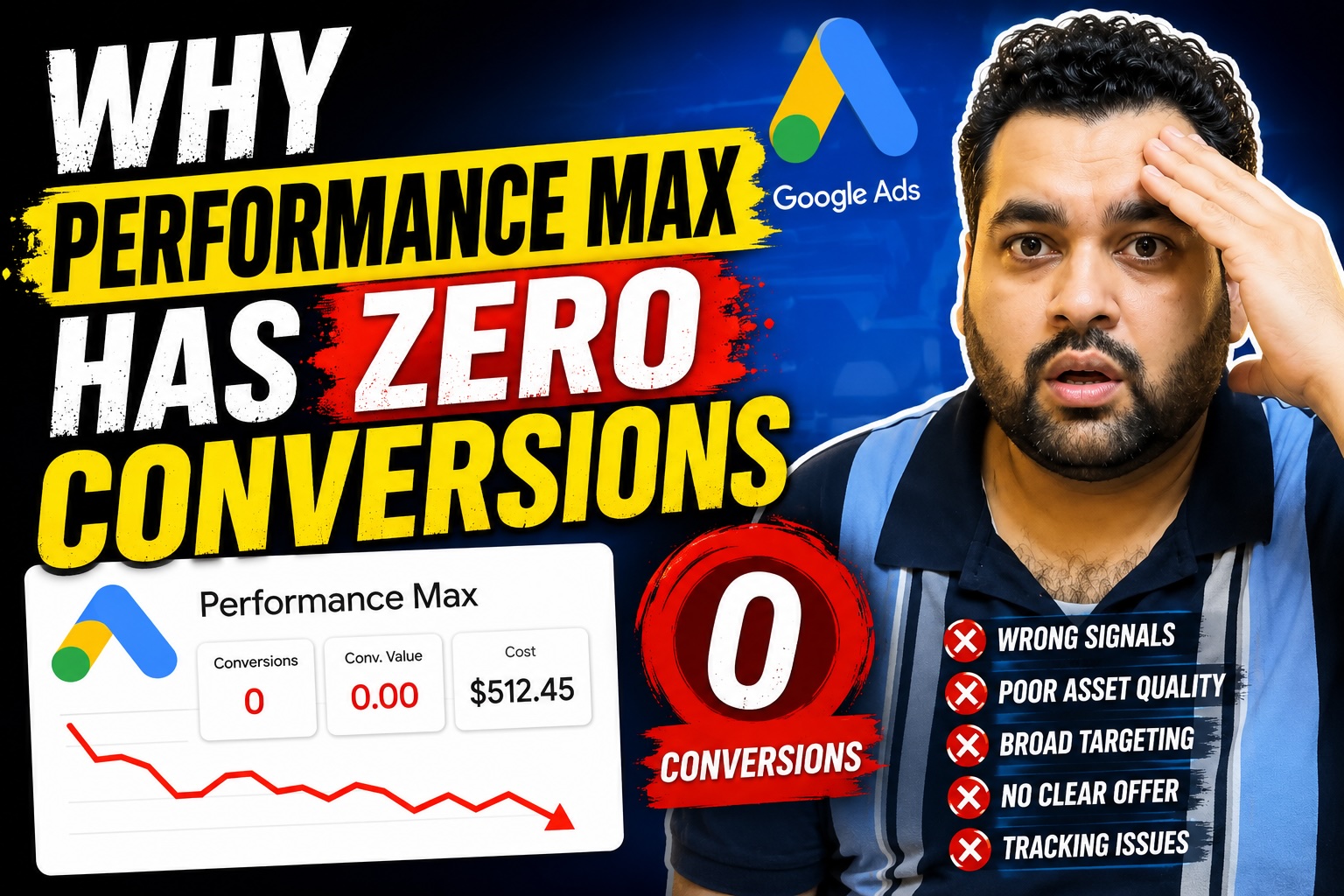
- Approximately 7,000 impressions
- 253 clicks
- A click-through rate of around 3.6%
- Zero recorded conversions
- A campaign age of only three days
The advertiser was understandably worried.
Spending money without generating conversions is frustrating. However, three days of campaign data is normally not enough to conclude that an entire Performance Max strategy has failed.
At the same time, “give it more time” should never mean “ignore everything and continue spending blindly.”
There are several important areas you should investigate immediately.
Is Three Days Enough to Judge a Performance Max Campaign?
Usually, no.
Performance Max uses automated bidding and machine learning to determine where, when, and to whom your ads should appear across Google’s advertising inventory. Google describes Performance Max as a goal-based campaign type that can serve across Search, Shopping, YouTube, Display, Discover, Gmail, and Maps. tomated campaign needs time to:
- Process your conversion goals
- Explore potential audiences
- Test different placements
- Evaluate products
- Compare creative combinations
- Adjust bids
- Understand which users are more likely to convert
Google recommends allowing approximately 7–14 days for automated bidding to ramp up. Its broader Performance Max guidance recommends running a new campaign for at least six weeks to collect enough data for a meaningful evaluation. s not mean every advertiser must wait six weeks before making any changes.
Critical errors—such as broken conversion tracking, rejected payments, an unusable checkout, incorrect location settings, or disapproved products—should be corrected immediately.
The six-week recommendation is about evaluating the campaign’s real performance, not ignoring obvious problems.
Understanding the Campaign Results
Let’s examine the available figures:
- 7,000 impressions
- 253 clicks
- 3.6% CTR
- Zero conversions
A 3.6% CTR tells us that some users found the ads relevant enough to click.
However, CTR does not tell us whether:
- The clicks came from the right users
- The products were competitively priced
- The landing page answered customer questions
- The checkout worked correctly
- The campaign targeted profitable locations
- Conversion tracking recorded purchases
- The traffic had genuine buying intent
Clicks are only one part of the customer journey.
A campaign can have a high CTR and still lose money.
This is why your primary evaluation should focus on valuable business outcomes, such as qualified leads, purchases, revenue, profit, and return on advertising spend.
1. Verify Your Conversion Tracking
The first thing I would investigate is conversion tracking.
Performance Max relies heavily on the conversion data you provide. When tracking is missing, duplicated, inactive, or configured around the wrong actions, Google may optimize using an inaccurate definition of success.
Check whether the account is tracking your genuine primary conversions, such as:
- Completed purchases
- Qualified form submissions
- Phone calls
- Booked appointments
- Paid subscriptions
- Valuable offline conversions
Avoid treating every small website action as an equally important primary conversion.
For example, the following actions may be useful for observation but should not automatically be treated as completed sales:
- Page views
- Time on site
- Scroll depth
- Add to cart
- Newsletter signup
- Button click
- Product-page visit
Google Ads allows you to review the status of conversion actions and identify tags marked as inactive, unverified, or requiring attention. to Test Your Conversion Tracking
Complete a real test conversion yourself.
For an ecommerce store:
- Open the website in a private browser.
- View a product.
- Add it to the cart.
- Begin checkout.
- Complete a test purchase.
- Confirm that the order appears in the website backend.
- Check whether the conversion is eventually recorded in Google Ads or your connected analytics platform.
For a lead-generation website:
- Submit the contact form.
- Verify that the confirmation page loads.
- Confirm that the lead reaches the correct email address or CRM.
- Check whether the conversion tag fires once.
- Make sure refreshing the confirmation page does not create duplicate conversions.
Do not increase your campaign budget until you are confident that tracking is working.
2. Test the Complete Website Checkout or Lead Funnel
Sometimes the Google Ads campaign is not the main problem.
The website could be preventing users from converting.
I have reviewed websites where customers could add products to the cart but could not complete the payment. Other websites had forms that displayed a success message without actually delivering the enquiry.
Test the entire customer journey on both desktop and mobile.
Check:
- Add-to-cart buttons
- Product variations
- Coupon fields
- Shipping calculations
- Payment gateways
- Required form fields
- Confirmation pages
- Contact forms
- Click-to-call buttons
- Calendar booking tools
- Mobile navigation
- Page-loading speed
Also test different browsers and payment methods.
A technically functional checkout may still create unnecessary friction.
Look for problems such as:
- Unexpected shipping costs
- Forced account creation
- Too many checkout fields
- Missing delivery information
- Unclear return policies
- Limited payment options
- Security warnings
- Distracting popups
- Poor mobile design
Performance Max can bring users to your website, but it cannot repair a broken or unconvincing buying experience.
3. Match Your Location Targeting with Your Budget
Another common mistake is targeting an area that is too large for the available budget.
For example, a local company with a limited daily budget may target an entire country even though it can only serve customers within one city.
This can spread the budget across too many locations and make it difficult to collect meaningful data in any one market.
Review:
- Where you can genuinely deliver your service
- Product shipping costs by region
- Average order value by location
- Profit margins
- Languages
- Local competition
- Your daily campaign budget
Do not reduce the target area automatically.
The right decision depends on your business model.
A national ecommerce store may need broad targeting. A local home-services company may perform better by concentrating on profitable cities, postcodes, or service areas.
Google recommends reviewing location settings and using the Presence option when you want to reach users physically located in your targeted areas rather than people who merely showed an interest in those locations. graphic reach and your budget must make sense together.
4. Review Whether the Budget Is Realistic
A small budget is not automatically bad.
However, the budget must be realistic compared with:
- Average cost per click
- Product margin
- Average conversion rate
- Customer value
- Length of the buying cycle
- Number of targeted locations
- Number of products
- Competition
Suppose your average order generates only a small profit while clicks are expensive.
Even if the campaign generates sales, it may not produce a positive return.
Before increasing the budget, calculate:
Break-even CPA = Profit available before advertising costs
For example, if a sale generates $40 in gross profit before advertising expenses, spending more than $40 to acquire that customer would generally create a loss unless repeat purchases or lifetime value justify it.
The objective is not simply to generate conversions.
The objective is to generate profitable conversions.
5. Review Your Product Feed and Listing Groups
For an ecommerce Performance Max campaign, your Merchant Center product feed is extremely important.
Review:
- Product titles
- Product descriptions
- Product categories
- Images
- Prices
- Availability
- Brand details
- GTINs or other product identifiers
- Shipping information
- Return information
- Product approval status
Your feed should accurately explain what each product is and help Google understand which searches are relevant.
Do not assume that every product deserves the same advertising budget.
Initially, you may allow Performance Max to test a broader selection of eligible products. Once enough reliable data is available, you can identify:
- Products receiving impressions but few clicks
- Products receiving clicks but no sales
- Products producing profitable conversions
- Products with weak margins
- Products with frequent disapprovals
- Products that perform better in specific locations
You can then restructure campaigns or listing groups according to meaningful business differences such as product category, margin, seasonality, bestseller status, or performance.
Avoid separating products too quickly when each new campaign would receive insufficient data.
6. Improve Your Performance Max Assets
Performance Max uses combinations of headlines, descriptions, images, logos, and videos to serve ads across different Google channels.
Weak or incomplete assets can limit your campaign’s ability to communicate the offer effectively.
Google recommends regularly reviewing creative assets and providing a strong variety of relevant text, image, and video content. et groups should clearly explain:
- What you sell
- Who the product is for
- Why customers should choose you
- What makes the offer different
- Whether delivery is free
- Whether a guarantee is available
- What action the user should take
Avoid vague headlines such as:
- Best Products Online
- Shop With Us
- Great Quality
- Visit Our Store
Use specific messages such as:
- Shop Waterproof Hiking Backpacks
- Free Delivery on Orders Over $75
- Custom Office Furniture Made Locally
- Book a Same-Week Plumbing Inspection
Never add a countdown timer or limited-time claim unless the deadline is genuine.
False urgency may damage customer trust and could create advertising-policy or consumer-protection concerns.
7. Improve Your Landing Page and Conversion Rate
Advertising optimization and website optimization must work together.
A landing page should quickly answer the customer’s most important questions.
For ecommerce, consider displaying:
- Clear product images
- Accurate pricing
- Delivery estimates
- Shipping costs
- Stock status
- Product specifications
- Customer reviews
- Return policy
- Secure payment options
- Frequently asked questions
For lead generation, consider displaying:
- A clear service description
- Service locations
- Relevant credentials
- Case studies
- Testimonials
- A direct call to action
- A short enquiry form
- Phone and WhatsApp options
- Expected response time
- Frequently asked questions
Conversion rate optimization does not mean filling the page with aggressive popups and artificial urgency.
It means removing friction and helping the right visitor make a confident decision.
8. Give the Campaign Time Without Constantly Resetting It
Advertisers often become nervous during the first few days and repeatedly change:
- Budgets
- Bid strategies
- Conversion goals
- Target ROAS
- Locations
- Assets
- Products
- Audience signals
Frequent major changes can make performance harder to interpret and may cause automated bidding to recalibrate.
Google explains that the length of a learning period depends on conversion volume, conversion-cycle length, and the selected bid strategy. In some situations, calibration can take up to three weeks or one to two conversion cycles. obvious errors immediately.
However, avoid rebuilding the entire campaign every day simply because it has not produced a sale yet.
Create a testing schedule.
For example:
During the First 72 Hours
Check:
- Campaign eligibility
- Ad approvals
- Product approvals
- Tracking status
- Website functionality
- Location settings
- Budget delivery
During Days 4–14
Monitor:
- Search themes and insights
- Product performance
- Cost
- Conversion activity
- Landing-page engagement
- Asset coverage
- Geographic performance
After Sufficient Data Accumulates
Evaluate:
- Cost per acquisition
- Conversion value
- Return on advertising spend
- Product-level profitability
- Location performance
- New versus returning customers
- Channel contribution
Google’s channel performance report can show how a Performance Max campaign delivers across Google’s different channels and can help identify channel eligibility or performance issues. e Search Campaigns to Add More Control
Performance Max is not necessarily a replacement for every other Google Ads campaign.
Google describes it as a campaign type designed to complement keyword-based Search campaigns. identify important products, services, and search themes, consider building Search campaigns where greater query and messaging control is valuable.
Search campaigns may be useful for:
- High-intent product terms
- Brand searches
- Competitor searches, where legally and strategically appropriate
- Local service keywords
- Emergency services
- High-margin categories
- Specific promotional searches
A Search campaign can provide more direct control over keywords, negative keywords, ad messaging, and landing-page alignment.
However, do not create multiple campaigns simply to make the account look complex.
Every campaign should have a clear strategic purpose.
Should You Create a Separate Remarketing Campaign?
Remarketing can help you reconnect with users who visited your website without converting.
However, remember that Performance Max may already reach previous website visitors as part of its automated targeting.
A separate remarketing campaign should therefore be created only when it supports a defined objective, such as:
- Showing a specific abandoned-cart offer
- Promoting a complementary product
- Delivering a different message to previous visitors
- Controlling frequency or creative more deliberately
- Reaching a valuable customer list
Do not assume that adding another campaign will automatically improve performance.
Check for audience overlap, attribution, budget fragmentation, and incremental value.
Should You Stop a PMax Campaign After Three Days?
Not only because it has generated zero conversions.
Three days is usually too little data for a final judgment.
However, you should consider pausing or limiting spend when you discover a serious issue, such as:
- Broken conversion tracking
- A nonfunctional checkout
- Incorrect prices
- Disapproved products
- Targeting the wrong country
- An unaffordable budget
- A website security problem
- An offer that is no longer available
The correct approach is:
- Diagnose immediate technical issues.
- Correct serious setup problems.
- Avoid unnecessary daily changes.
- Allow enough time for reliable data.
- Evaluate profitability—not only clicks.
- Improve the website and campaign together.
Performance Max No-Conversions Checklist
Before deciding that Performance Max does not work, confirm the following:
- Conversion tracking has been tested
- Primary conversion goals represent real business value
- The website checkout or form works
- The website performs correctly on mobile
- Location targeting matches the business
- Location options are configured correctly
- The daily budget is commercially realistic
- Products are approved in Merchant Center
- Product information is accurate
- Creative assets are complete and persuasive
- Landing pages match the ads
- Shipping costs are clearly displayed
- The campaign has received enough time and data
- Performance is evaluated using profit and conversion value
Frequently Asked Questions
Why Is My Performance Max Campaign Getting Clicks but No Conversions?
Possible causes include inaccurate conversion tracking, low-quality traffic, weak product-market fit, poor landing pages, checkout errors, uncompetitive pricing, incorrect location settings, or insufficient campaign data.
You need to investigate the complete customer journey rather than judging the campaign from CTR alone.
Is Three Days Enough for Performance Max?
Three days is normally not enough for a complete performance evaluation.
Google recommends allowing automated bidding approximately 7–14 days to ramp up and advises running new Performance Max campaigns for at least six weeks when collecting data for a meaningful comparison. tracking and website errors should still be corrected immediately.
Should I Increase the Budget When There Are No Conversions?
Not automatically.
First verify conversion tracking, website functionality, location settings, product eligibility, and the economics of the offer.
Increasing the budget will not solve a broken checkout or an unprofitable product.
Should I Reduce My Target Locations?
Reduce the targeted area when your business cannot serve the full location effectively or the budget is being spread too thinly.
Do not reduce locations solely because a campaign has not converted within three days.
Use business data, delivery ability, profitability, and geographic performance to make the decision.
Can Performance Max Work Without Conversion Tracking?
A campaign may still receive impressions and clicks, but it cannot optimize effectively toward your real business outcome without reliable conversion signals.
Accurate conversion tracking should be treated as a core requirement.
Should I Advertise All My Products?
Testing a wider product selection can help identify demand, but products should eventually be evaluated according to profitability, approval status, conversion performance, margin, and strategic importance.
Do not continue spending indefinitely on products that consistently attract unprofitable traffic.
Is CTR Important in Performance Max?
CTR can show whether an ad encouraged users to click, but it does not measure profitability.
A successful campaign must produce valuable conversions at a commercially acceptable cost.
Final Thoughts
A Performance Max campaign with 7,000 impressions, 253 clicks, and zero recorded conversions deserves investigation.
However, a campaign that has been active for only three days does not yet provide enough evidence to conclude that Performance Max cannot work for the business.
Start by checking:
- Conversion tracking
- Website checkout or lead forms
- Location targeting
- Budget
- Product-feed quality
- Creative assets
- Landing pages
- Campaign learning time
- Search campaign opportunities
Give the campaign enough time—but do not spend blindly.
The difference between patience and wasted advertising budget is proper measurement.
Need a Professional Google Ads Audit?
AARSWEBS provides professional Google Ads audits, campaign setup, conversion tracking, Performance Max optimization, and ongoing PPC management. Its Google Ads management service includes strategic management, conversion tracking, CRO guidance, and reporting. WEBS team works with businesses that need help identifying wasted advertising spend, correcting tracking problems, improving campaign structure, and generating more valuable conversions.
Visit AARSWEBS.com to request a professional Google Ads audit, setup, or management service.